Technology changes. Tools change. Acronyms change—sometimes daily. But the underlying problem doesn’t: go from idea to value efficiently, safely, and reliably.
DevOps gets described in a lot of different ways–a movement, a practice, a culture, a category, a tool, a job title. At its core, DevOps is about optimizing the speed of new features and the reliability of releases. Put more simply: it’s the optimization of work. To understand where we are going, you need to know how we got here, and what exactly we mean by work.
The Goal: A Process of On-going Improvement by Eliyahu M. Goldratt in 1984 is not only still relevant, but surprisingly entertaining. It revolves around a fictionalized Socratic dialog between Jonah, the professor, and Alex, the plant manager. Goldratt's story of Alex battling to save his plant that may be shut down, popularized Goldratt’s Theory of Constraints. The premise? Work flows (not workflows), constraints matter, and optimizing the system (not each individual component) is how you win. DevOps applies the same concepts developed in The Goal to software delivery.
The Phoenix Project: A Novel About IT, DevOps, and Helping Your Business Win, published In 2013 by Gene Kim, George Spafford, and Kevin Behr updated The Goal for our current era of software development. A new story for a different time. Now the Socratic pair is Erik, the eccentric board member, and Bill, the newly promoted VP of IT Operations who must save the chronically failing Phoenix Project (and the company).
DevOps: The AHA! Moment
These books have been around for a while. When did I read them? Last summer 2025! Even without this historical context DevOps made a big impression on me. For many years into my career, development and operations lived in friction. Releases were infrequent and difficult. Things broke. Ops got blamed for dropping the ball in the endzone. Dev got blamed for handing off code that shouldn’t have been near production.
When I first heard the word DevOps–I’ll admit—it felt like a revelation. DevOps—literally mashing the words Development and Operations—showed that closer collaboration, better tools, and automation could speed feature delivery and increase operational stability. I wasn’t thinking about how work flows or system constraints, I was “automating everything,” but the side effects of these efforts? Handoffs, waiting, rework, and mistrust dropped. Flow improved. Releases became faster. Systems became more reliable. Work was optimized.
Security: Turns Out the Internet Can Be Dangerous
While the Internet made information systems accessible, vulnerabilities in the software running those systems made them exploitable. Often, security was ignored—or set up to fail—slapped on at the end, but still expected to prevent problems that had already been coded and deployed.
DevSecOps solved for this by pulling security into the system rather than treating it as a gate:
Build securely from the start
Automate controls
Share responsibility
Security does not have to be a bottleneck. It can be part of the flow. Features can move fast—and safely.
Automation: Solving One Problem, Creating Another
DevOps leans heavily on automation:
“If you have to do it twice, automate it.”
This work has made a mountain of change to how software is released and operations are managed. Traditional automation is fast, but GenAI (including Machine Learning) is driving change, yet faster. With GenAI automation penetrates more of the stack:
Policy generation
Code development
Infrastructure deployment
Incident remediation
Breadth has increased dramatically—but control has fallen behind.
A Philosophical Detour (Because I Can’t Help Myself)
DevOps shortened the distance between thought and reality. A developer has an idea. They type code. That idea is suddenly running somewhere, affecting real people—sometimes in ways no one fully anticipated.
GenAI compresses that distance further. Ideas, implementations, and changes now propagate faster than Monday morning coffee disappears. At some point, you have to pause—preferably while sipping said coffee—and ask:
Who—or what—is actually in charge here?
Enter GovOps: Because Someone Has to Be in Charge
Governance has always existed, and yet, is generally unappreciated and typically done poorly or just well enough to meet regulatory requirements. Governance has not lived in the system. It’s been policies, audits, and slide decks no one reads. Continuous delivery and AI-generated everything break that model. We can no longer afford the risk of leaving Governance out of the loop. We need continuous Governance.
So we do what we did with DevOps and DevSecOps: pull governance into the flow. This is GovOps. Does that sound counterintuitive? Consider, AI is driving a rapid advancement in automation. These improvements will enable a change in how we think about Governance.
DevSecOps → Security Controls embedded into Code (continuous security)
Then:
GovOps → Continuous (automated) compliance.
GovOps: Making Governance Relevant
GovOps isn’t about adding more controls—it’s about operationalizing Governance. It is settings standards, validating control implementation and providing observability with audit reports on request. Expectations are declarative:
“We require encryption” → enforce it in code
“Review access quarterly” → monitor it continuously
“Produce audit evidence” → the system generates it automatically
What is now living in stale policy documents and inscrutable standards will be the AI prompts of our security and compliance agents. These prompts will define responsibilities, set limits, and enforce standards throughout the system with constant observability. Changes to standards (changes to the AI prompts governing agents) deployed to the system will have an immediate impact.
And here we go again.
The Pattern Should Look Familiar
We are repeating the same process:
Identify the constraint
Pull it into the system
Automate
Improve flow
DevOps did it for delivery. DevSecOps did it for security. GovOps does it for governance.
Reality Check
It may sound neat, but it’s going to be messy:
People resist change
Organizations protect silos
Each new layer (DevOps, DevSecOps, GovOps) gets turned into a tool category before it’s understood as a way of working
Where This Lands
If The Goal taught us to optimize systems, and DevOps applied that to software delivery, what we’re doing now is extending that thinking across the lifecycle:
Build it
Secure it
Prove it
Continuously.
We’re not just doing more work. We’re not just doing it faster. We’re understanding how work flows, where it breaks, and how to fix it—systematically. Everything else—tools, AI, acronyms—is just how we’re expressing that idea right now.
TruRisk™ is a metric to calculate asset risk-based on the severity of identified threats, vulnerabilities, and the value of the asset. Qualys publishes the equation for TruRisk™ enabling inspection and unfiltered feedback by unbiased parties. Notwithstanding that the equation is published, the length of the TruRisk™ equation and the extensive use of acronyms, made it too opaque for me to understand and trust at face value. So I tested it.
While TruRisk™ sounds like something that is immutable, it turns out that Qualys has multiple versions. Different versions are defaulted in different products. Not surprisingly, these different versions score risk differently. Surprisingly, these differences can be significant! Consider an asset that has the highest importance and is exposed to the internet; how many critical vulnerabilities does it take for these different TruRisk™ formulas to score an asset at critical risk?
I determined that the Qualys TruRisk™ version 2.0, the default in the Qualys Enterprise Threat Management (ETM) product, requires 87 critical vulnerabilities in order to rank an asset (with the highest asset value and the most exposure) at CRITICAL risk (full analysis below). Exploitation of just one of those 87 vulnerabilities could lead to a data breach. Is 87 the optimal number for scoring an asset at CRITICAL risk?
To muddle the matter more, I found that the TruRisk™ v1.0, the default in the Qualys Vulnerability Management, Detection and Response (VMDR) product scores risk much more aggressively than ETM. TruRisk™ v1.0 for VMDR requires only 15 vulnerabilities to rank an asset at critical risk.
I shared my findings with colleagues and was encouraged to share them directly with Qualys. Via LinkedIn, I connected to Kunal Modasiya, Senior Vice President of Product, GTM & Growth at Qualys, and shared my research. Kunal had April Lenhard, Principal Product Manager: Cyber Threat Intelligence reach out to me to discuss. Eventually, I met with April, Russ Sunderlin, Director, Subject Matter Expert, VMDR and Anthony Williams, Senior Subject Matter Expert VMDR, to explain the differences in the scoring between TruRisk™ v1.0 and TruRisk™ v2.0.
If you're unfamiliar with Vulnerability Management and Measuring Risk, the following explainers are meant to provide a brief overview of the concepts involved. If you’re familiar with these concepts, skip down to “Analysis: Measuring Asset Risk with Qualys TruRisk™” to find out what I learned.
Explainer: Vulnerability Management and Measuring Risk
When it comes to Vulnerability Management–the patching and updating of systems and applications to remediate vulnerabilities–keeping up with an ever-growing number of threats and an expanding attack surface is a real struggle. There are simply too many devices, with too much software, interacting with too many things to keep up. And if you’re falling behind patching, the number of vulnerabilities grows. As the number of vulnerabilities that go unmitigated grows, your risk of a breach grows too.
Automation has improved the ability of Operations and Information Security teams to remediate vulnerabilities, but if we want to keep up, simple automation is not enough. We need to manage our finite resources and prioritize remediation based on quantative measures of risk.
There are any number of definitions for risk, auditors, Information Security professionals, and risk managers have a standardized on a definition for their mutual use. They define asset risk as the product of threat severity, asset exposure and business impact:
The assessment of risk drives the expectations for how quickly a risk must be mitigated. In the image below, the TruRisk™ score is 801, which is classified as “High” risk.
These expectations are often codified in regulations and standards like the Payment Card Industry Data Security Standard (PCI), HIPAA and FedRAMP. Vulnerabilities must be risk assessed and remediated accordingly. Typical requirements for remediation looks something like this:
Severity
Qualys TruRisk Rating
Remediation Required Within
Critical
> 850
Seven days
High
700-849
30 days
Medium
500-699
90 days
Low
< 500
180 days
So, for the example above, the TruRisk™ score of 801 is classified as High. The remediation table indicates the system must be remediated within 30 days. As environments grow, the time, energy and expense required to remediate critical vulnerabilities within seven days increases. It’s expensive to remediate vulnerabilities within seven days, so accurate risk assessment is necessary in order to limit the amount of critical work to only what is actually necessary.
Analysis: Measuring Asset Risk with Qualys TruRisk™
TruRisk™ v1.0 was developed by Qualys for their premier product, Vulnerability Management, Detection and Response (VMDR). VMDR has been in use for years and is a mature product. For VMDR, the equation is expressed:
To calculate TruRisk™ Qualys uses eight variables, four weights and six nested functions. All the terms are coded. Unpacking the variables, they come in two flavors: Asset Factors and Threat Factors. Asset factors affect the value of the asset and its exposure. Threat Factors represent the severity of the threat.
Term
Name
Description
Value
Variable - Asset Factor
ACS - Asset Criticality Score
Asset criticality is determined by the business. ACS is a simplified measure of the Single Loss Expectancy of an asset.
1 - 5
Variable - Asset Factor
External - Asset Exposure
When an asset is exposed (typically to the Internet). When an asset is exposed, it's more likely to be compromised.
1 - 1.2
Variable - Threat Factor
MaxQDS - Maximum Qualys Detection Score
Maximum QID – QID is a Qualys proprietary system for identifying and categorizing vulnerabilities. A single QID can contain multiple CVEs.
0 - 100
Variable - Threat Factor
QDSc
Count of critical detections (QIDs)
count
Variable - Threat Factor
QDSh
Count of high detections (QIDs)
count
Variable - Threat Factor
QDSm
Count of medium detections (QIDs)
count
Variable - Threat Factor
QDSl
Count of low detections (QIDs)
count
Variable - Threat Factor
g
Weight based upon the Max QDS (QDSc = 1.3, QDSh = 1.1, QDSm = 1, QDSl = 1)
1 - 1.3
Weight
Wc
Weight critical
0.8
Weight
Wh
Weight high
0.15
Weight
Wm
Weight medium
0.03
Weight
Wl
Weight low
0.02
Simplifying:
Impact = ACS
Likelihood = External
Threat Severity = The computation of QDS and the buckets for severities
Finally, (and if if we leave off the MIN (X, 1000), which simply caps the score at 1000), we get:
TruRisk™ v1.0 Score = [Impact * Likelihood] * [Threat Severity (calculated with maxQID)] + Threat Severity (calculated with count of detections)]
Which actually looks a lot like the canonical equation for calculating risk, although the canonical risk score is the product of two variables, and TruRisk™ is the product of three variables. A term that is the product of three variables is more complex than a product of two variables and may lead to unexpected results.
Qualys Enterprise Threat Management (ETM) is a relatively new product and lacks the maturity of their flagship product VMDR, For ETM Qualys utilizes TruRisk™ v2.0. It is a similar looking equation, but it is different. Acronyms like QDSc have been replaced with the somewhat more human readable terms like numCriticalDetections. The capping of the score at 1000 is expressed in a separate, simpler equation.
More significantly, the TruRisk™ v1.0 model is based on Qualys Identification (QID). QID is a proprietary system for identifying and categorizing vulnerabilities. A single QID could contain multiple CVEs, Common Vulnerabilities and Exposures (CVEs) are published by the MITRE Corporation and sponsored by the US Cybersecurity and Infrastructure Security Agency (CISA). The new TruRisk™ 2.0 calculation model is based on CVE, and the TruRisk™ score is calculated based on individual CVEs. Qualys explained that this change is necessary in order for the ETM product to aggregate threats detected by non-Qualys applications and systems that rely on CVE to score threat severity.
Term
Name
Description
Value
Variable - Asset Factor
ACS - Asset Criticality Score
Asset criticality is determined by the business. ACS is a simplified measure of the Single Loss Expectancy of an asset.
1 - 5
Variable - Asset Factor
External - Asset Exposure
When an asset is exposed (typically to the Internet). When an asset is exposed, it's more likely to be compromised.
1 - 1.2
Variable - Threat Factor
MaxDetectionScore
Maximum CVSS. CVSS is a severity score generated for each CVE. Common Vulnerabilities and Exposures (CVEs) are published by the MITRE Corporation and sponsored by the US Cybersecurity and Infrastructure Security Agency (CISA).
0 - 100
Variable - Threat Factor
numCriticalDetections
Count of critical detections (CVEs)
count
Variable - Threat Factor
numHighDetections
Count of high detections (QVEs)
count
Variable - Threat Factor
numMediumDetections
Count of medium detections (CVEs)
count
Variable - Threat Factor
numLowDetections
Count of low detections (CVEs)
count
Variable - Threat Factor
g
Weight based upon the Max CVSS (CVSSc = 1.3, CVSS = 1.1, CVSS = 1, CVSS = 1)
1 - 1.3
Weight
WtCrt
Weight critical
0.8
Weight
WtHigh
Weight high
0.15
Weight
WtMed
Weight medium
0.03
Weight
WtLow
Weight low
0.02
While moving from proprietary QID to the widely used industry standard CVE is a notable difference, that change should not result in significantly different risk assessments. But there is a change that results in significantly different outputs. The positioning of the brackets, and hence the order of operations to calculate the Risk Score, are not the same.
Comparing the simplified equations: In v1.0, the third term, Threat Severity (calculated with count of detections)is added to the second term, BEFORE it is multiplied to the first. In v2.0 the third term is added AFTER the product of the first and second terms is generated. In v2.0 the third term contributes additively, not multiplicatively.
And when you start pushing numbers through the formula, the results are markedly different. This change has real world implications, as the new equation is less aggressive at assigning critical risks, which means that users of the Qualys ETM and TruRisk™ v2.0 will have a rosier view of their enterprise than those people using the Qualys TruRisk™ v1.0 with VMDR.
The calculator I built to test the scoring can be found, here: TruRisk_Calculator.
Conclusion: Measuring Asset Risk with Qualys TruRisk™
Calculating risk and more broadly the use of equations to model real-world systems is inherently complex. Even when the details of an equation are provided, as Qualys has done for their TruRisk™ model, the meaning and behavior of the equation may be opaque and generate unintended outputs.
In my meeting with the SMEs at Qualys, they explained the evolution of the different versions of TruRisk™, the change from using QID to CVE for identifying vulnerabilities, which versions are provided by default in which products, and finally, the intention to align all products onto TruRisk™ v2.0. However, this feedback did not address my headline concern, that TruRisk™ v2.0 scores risk much more rosily than TruRisk v1.0. Both models are working as “functionally” intended. They provide functionality for scoring risk and providing prioritization, but the material change to the design and the resulting significant changes to the outputs went unidentified.
Users of ETM (typically Senior leaders and managers) will have a rosier view of risks to the enterprise than team members using VMDR.
Qualys needs to:
Revamp their documentation related to TruRisk™, eliminate overlapping articles, and streamline the story.
Develop and implement design level controls to ensure continuity between updated versions of TruRisk™. If controls exist, they need improvement. Controls must be implemented to avoid design failures.
GenAI and advanced algorithms introduce new risks even when they are used for risk management. What’s happened at Qualys and TruRisk™ demonstrates the threat. Updates to algorithms are necessary to improve accuracy, remove defects and increase utility. But, unintended changes can be introduced to algorithms at unexpected times, including design. Information Security and Quality Assurance need to be included during design. The need to keep a human in the loop is essential. Changes need scrutiny by critically thinking humans. We must closely evaluate our tools and the vendors that produce them. Trust your vendor, but verify.
While DevOps is a relatively new word describing an evolving methodology for building products, Information Security is a mature discipline and is generally applicable to all enterprises. Information Security has been studied and codified into well-defined principles. These principles were developed in large measure by the US Department of Defense to protect military secrets, an effort that went alongside the military’s interest in developing the Internet itself. Major accrediting organizations with esteemed reputations (e.g. ISC2) have been certifying Information Security professionals since the mid-nineties.
The purpose of Information Security, or, specifically, Information Security programs within the enterprise, is to reduce the risk of data breaches, data corruption and loss of access. It is an ongoing process. It requires attention throughout the organization and at every stage of the software development life cycle. Information Security needs to be considered at the earliest stages of product development. Attempting to bolt Information Security onto a product at the end of the development cycle, treating it as an afterthought, is rarely an effective strategy.
Information Security is at once people, processes, and technology. While Information Security has been a concern long before DevOps, it needs to be promoted as a major tenet of DevOps. Why? Information Security is hard and historically, it has not gotten enough attention.
In order to earn and grow revenue, product companies are compelled to focus on maximizing customer benefits, and often treating Information Security as overhead. A race for an MVP (minimum viable product) encourages cutting corners on security. Even when Information Security is a concern, it typically competes poorly with market needs. It is common for development organizations to build an application, and then, just before a release, to do “Information Security.” They check a few boxes and hit the deploy button. Attempting to bolt it onto a product right before release, is one of the greatest risks when implementing Information Security. It typically does not end well.
Information Security will continue to grow as a major concern for Dev and Ops. For too long and too often, Information Security has been given a “best effort” treatment. The rapid growth in number and sophistication of attacks requires more effort to contain them--just for survival.
In order to meet these challenges, Information Security must be considered during design and planning. Applications, systems and networks must be Secure by Design. This must always be the default. Without attention to Information Security at the early stages of product development, any Information Security controls implemented later will likely contain design flaws.
Information Security must be elevated in DevOps. It must be ingrained into the other aspects of DevOps: culture, automation, monitoring, and communication. As with all of DevOps, culture is the key component. Both Dev and Ops must embrace a culture that considers Information Security a key concern.
The good news is that the ongoing process of maintaining secure systems weaves seamlessly into our aspirations for a well functioning DevOps environment. New challenges will emerge. Technology will continue to evolve. In 2024 we see the information itself being attacked with disinformation and deep fakes. DevOps has become DevSecOps and many other variations.
fork: Culture is more important than processes or technology
My principles of DevOps: culture, automation, monitoring, communication and information security will continue to shine the path forward even when DevOps is ultimately replaced by whatever comes next.
The objective is relevance: timely, accurate, and actionable.
Monitoring integrates automation (machines) and communication (humans). It completes a feedback loop between systems and people. Monitoring ensures Operations continues to run and run smoothly. Far too often monitoring is not done well. Development and Operations are insufficiently responsive to problems in their offerings and have too frequently allowed their customers to identify issues. Customers report urgent problems. Teams immediately jump into to reaction mode, and run around putting out the fire, saving the day from their own lack of effective monitoring. That’s crazy making. Effective monitoring is crucial to the mental health of your organization. A DevOps culture cares about mental health and staying sane.
Too often monitoring is just a mess. Important, but non-critical systems are not monitored at all. For systems that are monitored, the monitoring is often tuned poorly. Monitoring spams non-urgent alerts. When it comes to the ratio of signal-to-noise, it’s typically a distracting amount of noise. Alerts that need action are lost. The refrain of managers of bad monitoring is heard once again, “the system generated an alert, but we did not see it.” On the Development side they have similar problems. For example, regular feedback on the state of the build and test can be lacking. Test reports are incomplete or difficult to access. Attention needs to be paid to properly configuring monitoring systems.
Timely
Monitoring needs to be timely, accurate and actionable. Timely alerts are sent at the right time. The right time is not always immediately when the issue is identified. For example, it is important to monitor test systems. Consuming all the allocated disk space on a test system may disrupt development. Disk alerts on test systems are useful for keeping Developers working without interruption. But if you're sending text messages to your Ops staff in the middle of the night for a disk alert on a test system, you’re not doing it right. That’s not a timely alert. You don't need to wake your Ops staff to fix a non-critical issue on a test system. A timely alert would be during work hours.
The best type of alert is predictive. They warn you of an impending problem. A failure hasn’t occurred yet, but without action, one is likely. Disk usage warnings fall into this category. You need alerts that tell you something is broken. That type of monitoring cannot be ignored. But the deeper you can get your monitoring into your system, so failures can be anticipated, that makes for the most useful monitoring.
Accurate
Alerts need to be accurate! The bane of monitoring is false alerts. No one enjoys a wake up in the middle of the night responding to pages from a system that is in fact working just fine.
Actionable
Alerts must be actionable. An alert that is incomprehensible or lacks an expected response is either noise or worse—something needs attention, but it is getting neglected because the recipient of the alert doesn’t know how to respond. Actionable monitoring has a lot to do with preparation. When you get an alert, you need to know how to respond. Alerts need to be correctly categorized. Many alerts require some technical action. Other alerts require communicating to customers and/or vendors. Casualty procedures or use cases need to be well documented and available when the alert sounds.
Monitoring is about knowing your systems and the state they are in. Without monitoring you’re in a bad place. You’re that infamous chicken with its head cutoff, still running around… but already dead.
Monitoring Challenges
Meaningful monitoring requires a careful eye. It requires looking at the object of your concern from a multitude of perspectives. Ops, Dev, management and users all have their own point of view. While each of these views is important in and of themselves, the sum of these perspectives is greater than the parts. The picture develops as more perspectives are processed.
As an example of the importance of considering as many perspectives as possible, take the Escher print below. Is it a picture of geese or fish? It is both at the same time. You need to look at the negative space as well as the positive space; one reveals the other. To see the true picture you must recognize how differing pieces fit together.
Figure 15: Positive and negative space
The larger and more complicated the object of your attention is, the more perspectives you need. Do you remember the story of the seven blind mice describing an elephant? The view of any one mouse was not enough to understand the elephant they were all looking at. And how about the old adage about missing the forest for the trees? The dissonance between our perception and the reality of things is fascinating. I could go on and on with these examples, but let’s move on to some other monitoring challenges.
You can get carried away with monitoring. If you “monitor everything” you will likely get overrun! Getting inundated with low-grade notices from your monitoring system is a very good way to miss the alerts that you really need to pay attention to. False alerts and alerts for non-urgent conditions pave the path to shutting out what is important. Reducing the noise to get the signal is a must!
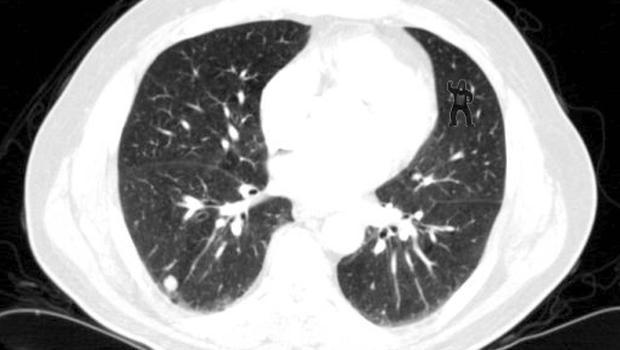
Even when monitoring is performing well, challenges remain. Our brains have a propensity to form patterns according to expectations rather than actual data. This picture was used to test the perception of medical students examining chest x-rays. A whopping 83% of test subjects missed the gorilla in the picture. But you saw it right?
Figure 16: What gorilla?
All of these challenges are significant, and typical Ops monitoring has not been up to the task. The worst part of what has passed as Ops monitoring, is the extent that Ops unintentionally relies on their customers to identify problems. With poor monitoring Ops teams put their customers in the position of having to report important problems; like the site is so slow it is unusable!
To effectively manage an application for the benefit of all constituents, monitoring needs to simulate all your stakeholders’ points of view. Many customer issues can be handled effectively. Bugs, training and workflow issues can be managed with an on-point support team. But when your customers have to tell you about performance or availability problems, your business is in trouble. This is the worst. Your customer does not care about your technical issues. They want to get their work done. By the time a customer opens a ticket to complain about not being able to do their work, you may have already lost any chance of a service renewal. The damage increases exponentially with the mission criticality of the service you are providing. If your customers are working in real-time like medical service providers, sellers in on-line auctions or whatever they are doing that is really important to them, and your application is not available? You are toast. Monitoring needs to be timely, accurate and actionable.
I'm 56 years old, and I am as fit, healthy and happy as I have ever been.
Kevin Eb, September 2024, Hull, MA
As a young person, I was somewhat active, but not particularly athletic. And like other young people, I could eat whatever I wanted, and not gain weight. Of course, that changed as I slid into my 30s. For my 30's and 40's I was borderline obese. I'm 5' 8" At my heaviest I tipped the scales at 200 pounds.
In the last few years I have shed forty pounds. A long with losing the weight, I have gotten fit. I bike, swim and run. At first, I was only riding my bike, but building up my strength. After a while I incorporated swimming and running. When I began incorporating running into my fitness routine, I could barely run. I would run on a track near my house. I'd go down the 100 meters of the straight-away and then I couldn't run anymore. I needed to stop because of the pain in my ankles or shins. Now, a 5k run is in my comfort zone. My longest run is a half-marathon. I can bike forty miles comfortably. I love open water swims (and surfing!). I have participated in two sprint triathlons. I am as fit, healthy and happy as I have ever been.
This change has not gone unnoticed by friends and family, who have been wonderfully supportive and enthusiastic about my progress. I get asked, "How did you get fit?" After enough people have asked me this question, I thought it would be helpful to share what I've learned. Here's my response.
The number one thing I would say is, lower your expectations. Don't try to get fit. Getting fit will be a long journey. Focus on getting healthier. If getting healthy is your focus, there a lot of things you can readily do, and a number of them have immediate benefits. You probably know most of them already. The challenge is to put them into action and to keep up the effort. Here are my ten steps to a healthier and happy life.
1. Begin
I mean that literally. Just get started. Don't be so impressed by the challenge, that you don't get started. The only way to make progress is to begin. Don't even think about it as "day one." Think of the right now. Make right now the moment you set an intention to improve your health.
2. Get moving
Even a moderate amount of physical exercise, a brisk 20 to 30 minute walk five days a week, will make you healthier. Our bodies are built for moving. Our bodies are also very efficient at storing energy and avoiding any effort at all. Like most of the steps in this list, the science is clear, a moderate amount of regular exercise (walking!) has measurable health benefits. Get moving!
3. Push past your fear
Getting healthy can be daunting. It gets harder, as we get older. We bear the emotional scars of diet failures, and abandoned exercise plans. Fear of injury is real. We step gingerly in fear of twisting an ankle. As we get older, we are more aware of the frailty of our bodies, and get yet more cautious. Push past your fear! You will experience discomfort. Don't let discomfort be your master. You can take it. You're stronger than you know. Injury and pain can happen whether or not you make any effort to exercise.
Don't be afraid. You have the power! You can do this!
4. Listen to your body
Our minds are built to focus our attention on one thing at a time. This is necessary in order for our executive function to work. We need to ignore all kinds of information from our bodies and our surroundings, so we can focus on whatever needs our active conscience attention. Your body is the temple of the mind. It's where you live. Give your body the attention and respect it deserves.
5. Improve your posture -- This is the start of your fitness plan
You deserve to be here! Whatever state your body is, hold your head up high. Sit straight, and walk with your head up. Your posture will bolster your sense of well-being. There are different ways to improve your posture, and begin to put together a fitness plan that meets your needs. Start your fitness plan with exercise that is low impact. You don't need equipment or props. Your breath animates your body and your mind. Be mindful of your breathing. Your intention is to develop a fitness program that is more than doing push-ups, or leg stretches or any other activity that focuses on a particular muscle group. What you want to do is to begin a fitness program that integrates your mind, body and breath. Yoga is an excellent way to do this. I'm saying "yoga," but it doesn't have to be yoga. Yoga is an excellent way to do this. You can start wherever you are at--including chair yoga. Pilates is also good. Whatever exercise you choose to do, aim for a full-body experience: mind, body and breath.
6. Track what you eat. Eat food. Mostly plants. Not too much.
Tracking what you eat, is not dieting. It is being mindful of what you are putting into your body. Whatever you eat, record it. The only goal you should set for yourself, is to actually record what you eat. If you maintain diligence in recording what you eat, you will inevitably begin to make better decisions about what you decide to put into your mouth. Hat tip to Michael Pollan for, "Eat food. Mostly plants. Not too much."
7. Weigh yourself daily
Weigh yourself daily, but don't pay too much attention to how much you weigh on any particular day. Body weight can fluctuate significantly. Our bodies can store a lot of water. Water is heavy. It is not uncommon to gain or lose five pounds in a day. Even without a big body weight swing of five pounds, body weight fluctuates. A more accurate measure of your weight is probably some kind of running average over your last few days. So, don't much attention to how much you weigh on any particular day. But, do record your weight everyday. Make it part of your daily routine. Weigh yourself, even when you don't want to know what you weigh. It's really an exercise of personal accountability and mindfulness. It's not difficult to step on a scale. It is difficult to make yourself regularly accountable and take stock of where you're at.
8. Sleep
Of all the things on this list, sleep is arguably the most important. There's really no more important thing we can do for our mental health, and concurrently, our physical health, then consistently sleeping well. This is science. If you are not sleeping well, see a doctor. Fix that shit. It's a bit ironic, that sleep, "doing nothing," plays such a big role in our physical health. But it does.
9. Rest, Recover, Strengthen
As you get into a more active exercise routine, rest and recovery will be grow in importance. I do think "rest and recover" doesn't really speak to what's happening. Yes, your body is "recovering" after exercise. Inflammation is processed by your body and soreness recedes. But, the sometimes neglected point of recovery, is that is necessary to actual grow muscle. You can't grow muscle while you are using your muscles. They need to rest in order to strength. Kicking your ass with your exercise routine? Rest, Recover, Strengthen.
10. No matter what happens, be kind to yourself
You are going to have bad days. You will have days when you miss all of your goals. Days when you eat too much and don't exercise. Don't beat yourself up about that! Just don't. You only live once. If you indulged, that's okay. Gloat over your indulgence, and move on. It doesn't really matter what you did yesterday. What matters is what you decide to do next. In order to be more healthy, you have to set your intention to be more healthy everyday. That's a challenge, but it is also a blessing. Everyday we have the opportunity to start over. Everyday we have the opportunity to make new decisions and head in different directions. It's miraculous that we are here at all. Every step we take is a blessing. Be grateful for the health and wellness you have. Be kind to yourself. You deserve it.
Please share any of your comments and experiences below!
No time for losers, cause we are the champions of the world!
DevOps practitioners take ownership not only of their individual performance, but also in the success of the team, and recognize that work they do has an impact on the success of the whole company.
Persistence
After I graduated from college, I backpacked around the world. I visited great cities: Hong Kong, Bangkok, Singapore, Beijing, Delhi, Mumbai, Jerusalem, Cairo, Marrakech. I trekked and climbed; I did odd jobs and taught ESL; I met incredible people and learned so much. I was out of the country for more than a year. That was 1995, the "Year of the Internet." The Internet was exploding back home, and I could feel it. When I returned to the States, I was ready to launch my career. I moved to the Bay Area and started looking for a job.
I had my old Apple Macintosh. I busily played with Java and HTML making wildly homebrew web pages; linking my page to people that I admired and making graphic puzzles linking to all manner of strange and interesting things. I followed job postings on Craigslist, when it was still a listserv. These were dial-up days and I networked online bulletin boards, like The Well. In a Java conference, I connected to one long-timer user, Bob Pasker, aka (rbp). Bob arranged a phone call to talk about a Systems Administrator position he had at a startup he co-founded, WebLogic.
Or dumb luck?
It's worth stepping out of this story to make note that when it came to technology, nothing got by Bob. There was no obfuscating or charming your way past him. You knew if you were not doing well in an interview with him. One person that did get a job at WebLogic that had a particularly memorable reaction to his interview with Bob. Michael Smith, Jr, Smitty, who was interviewing for an entry level Sales Engineer position, started the interviewing feeling pretty good, and left feeling like he knew nothing about Java.
Back to my interview. None of my experience and education--Electrical Engineering, AS/400, retail software, Novell 4.0 certification nor the Java basics I was teaching myself was of much use in this interview. Nevertheless, I was confident and insisted I could learn.I doubt I was convincing, but as Bob was extricating himself off the phone, he did offer me a temp job setting up some computers. I said yes.
WebLogic, early days
Soon after I showed up in WebLogic’s downtown San Francisco office. The WebLogic office was tiny. They shared space with an accountant. The accountant had a corner office and a couple of adjoining rooms. Four smaller offices comprised the rest of WebLogic’s space. Dave Parker, the WebLogic president, occupied one of them. There was a small conference room with a floor to ceiling glass wall. That conference room sticks my mind. Dave gave what seemed like an inordinately long interview to a very attractive young women who wore her red mini-skirt very well. It turns out, that Dave was capable of talking an inordinately long time for any occasion at all. But, I digress. In another room Bob was setting up for the first three staff engineers they hired. One was for Sam Pullara and another was for our departed friend Joe Weinstein. The four co-founders, Bob, his wife Laurie Pitman, Paul Ambrose, and Karl Resnicoff worked from home over an ISDN network Bob setup.
Bob had three mini-tower workstations to setup for his new engineers. The workstations had arrived from Micron along with some 3rd party memory upgrades. Bob handed me the memory, and told to get to work installing it. This was something I'd already done a number of times in my life. I knew exactly what to do. And yet, I was so nervous I could hardly hold the memory stick. I could not get it to pop into the socket. After a bit, Bob quietly lost his patience watching me fumble with the memory stick. He reached over and popped it in. And we moved on.
I left some kind of impression on him, because I heard from him soon. Bob had me back to setup more computers. I setup Windows NT 4.0, Microsoft Office and development tools, like Perforce and Cygwin. Soon WebLogic was prepping to move out of its shared office and into larger space. Bob needed someone on the IT front-line to help get things going, and offered me a full-time job. At the same time, I was offered a more money to be a Novell administration for a San Francisco hospital. I passed on the Novell job and went to work at WebLogic.
First Days at the Job and Lessons Learned -- WebLogic 1996
בּוֹקֶר טוֹב
On my way to my first full-time day at WebLogic, I emerged from the BART station at Montgomery St. A a well-dressed stranger greeted me with Boker tov! Good morning in Hebrew. I had arrived at my destination. I headed underneath the Charles Schwab ticker; looked up at the sun shining on the pyramid building; and marched down Montgomery St. to start my new job.
One day during my first week, I was asked to move a printer. There was some issue, and it was taking me time to get it working. This did not go over well with Bob. He made it clear to me in a way that has stayed with me always: IT is a service job. Yes it’s technical, but its function is to enable other people to get their work done. Printers and cables or anything else technical did not come up in this discussion. The point was about providing service to business users. If my work is causing a work stoppage because the printer I am working on is off-line, I am not getting my job done. I took that feedback, and remembered a theater “techie” creed:
You don’t see or hear us, but you don’t see or hear without us!
Fourk 3: IT is a service job. Yes, it’s technical, but its function is to enable other people.
Service and a Culture of Ownership for Information Security
It's 2024 now, nearly thirty years later, and this is a lesson I come back to often. It is lesson that I routinely share with my Information Security colleagues. As Information Security practitioners, our function is "Information Security." Our purpose is Risk Management. We support the business by safeguarding its assets and ensuring compliance. We do this in order to reduce risk to the business.Understanding and embracing one's mission is a the first requirement of the, National Institute of Standards and Technology, Cybersecurity Framework (NIST CSF v2.0 released in March), which states, "The organizational mission is understood and informs cybersecurity risk management." By maintaining a service-oriented approach and aligning with our mission, we not only secure the company but also ensure we meet compliance objectives and foster an Information Security centric culture of ownership.